
A big family is a true blessing and a headache in disguise. How is it possible to remember all the birthdays when you have tons of siblings, aunts, uncles, and cousins? You can’t keep it all in your head, right? Sure, you can write them down on some store bought calendar, but these things are so dull, you won’t even look at them.
But hey, what if you could create a DIY birthday tracker? It will not only have all your relatives’ birthdays in one place, but will also be a cool thing to look at. Don’t know how to make such a useful helper? Don’t worry. In this article, we will show you how to create a birthday reminder calendar with no effort at all. Ready to take that burden off your shoulders? Then let’s get going.

Since creating a family birthday calendar is a task of certain importance, you need the perfect tool for it. Go with one of the best – Photo Calendar Creator. This award-winning software is perfect for making custom calendars of all types and designs. Here is how you can use this birthday calendar maker for your cause.
1. Choose a Suitable Template
Once you run Photo Calendar Creator, you need to choose a template. The software comes equipped with 250+ birthday calendar templates of any type: wall, desk, pocket, booklet; yearly, monthly, even weekly. All the templates are fully customizable. Pick the one you like, set your calendar’s size, starting year and month, add your pictures to the cover. Make sure to set the resolution to 600 dpi for a better print quality.

2. Customize Your Planner
Now, decorate your B-day calendar to your liking. You are free to change its background and decorate your pictures with cool masks and graceful frames. You can even use not just a single picture, but a whole collage of them. Want to change the look of the month grid? Browse through available styles or design your own in a blink.
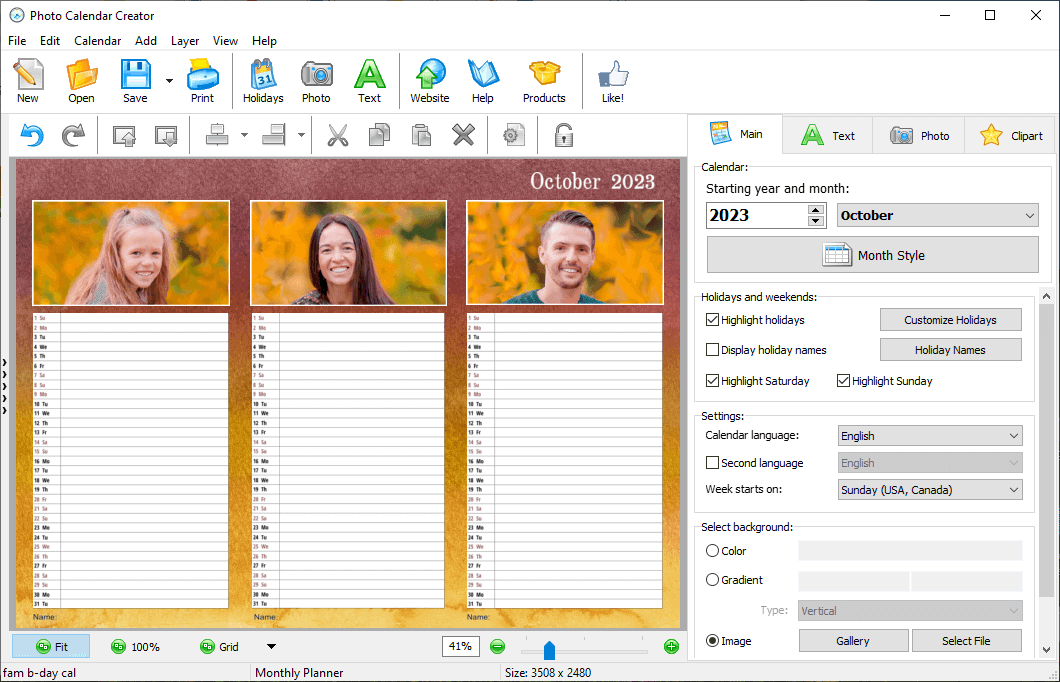
3. Add B-Days and Anniversaries
Your birthday calendar with photos wouldn’t be complete without your holiday list. Create one and fill it with all the birthdays and anniversaries of all your dear and near. You can either compile this list by hand or simply import it from an Excel file. If you are making a monthly calendar with a grid, you can decorate the cells with the celebrants’ pictures or eye-catching icons. Finally, save or print your birthday tracker. And you’re done!

Want more tips and tricks on how to make your tracker better? And how about a few more inspiring designs? Then make sure to learn these birthday calendar ideas that we are happy to share with you.
And now you know how to make an awesome B-day and anniversary reminder that it is not only useful, but also so precious to look at. Now you will never forget your aunt’s birthday or your grandparents’ wedding anniversary and will never ever again get scolded by them. It’s time to look for unique birthday gifts, right?